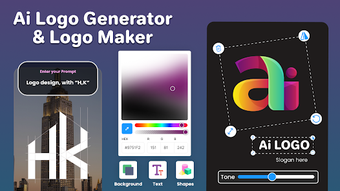

Download Logen – AI logo maker, logo design app, create logo, logo generator, business logo, brand identity, mobile logo tool, design app, logo maker for Android
Overview
Logen – AI Logo Maker is a desktop software application designed for users seeking to create professional-grade logos with minimal effort. The software is tailored for business owners, freelancers, and creative enthusiasts who require a fast and intuitive solution for developing brand identities. By leveraging artificial intelligence, Logen enables users to generate high-quality logo concepts in minutes, significantly reducing the time traditionally required for design work.
The tool supports a wide range of industries, making it suitable for startups, small businesses, and personal branding projects. While the developer did not provide additional background information, the application is positioned as a comprehensive solution for logo creation, offering both AI-driven suggestions and manual customization options. Real-world use cases include crafting logos for new ventures, rebranding existing companies, and designing visual elements for events or social media.
The software emphasizes accessibility, allowing users without formal design training to produce polished, unique branding assets. It serves as a bridge between creative vision and digital execution, streamlining the process from concept to final output.
Key Features & Capabilities
- AI-Powered Logo Generation – Logen uses artificial intelligence to analyze user input and instantly generate multiple logo variations based on preferences, industry, and style. This feature accelerates the ideation phase and helps users explore diverse design directions without manual sketching.
- Customizable Design Editor – The software includes a drag-and-drop interface that allows users to adjust colors, fonts, icons, and layout elements. This level of control ensures that final designs align with the user’s brand vision.
- Extensive Template Library – A wide collection of industry-specific templates is available, covering sectors such as technology, fashion, food, and fitness. These templates serve as starting points for rapid logo development.
- High-Resolution Export Options – Logen supports exporting logos in multiple formats, including PNG, SVG, and PDF, ensuring compatibility with websites, print materials, and digital platforms.
- Brand Identity Integration – The tool facilitates the creation of cohesive visual identities by enabling users to generate matching business cards, social media banners, and letterheads alongside their logo.
These capabilities make Logen ideal for users managing multiple branding tasks. For example, a freelance designer can quickly produce client-ready logos, while a small business owner can independently build a professional brand presence. The software’s workflow is designed to minimize friction between concept and delivery, enhancing productivity and creativity.
User Interface, Workflow & Performance
The user interface of Logen is structured around simplicity and visual clarity. The main dashboard presents key tools and options in an organized layout, with intuitive navigation that guides users through each stage of logo creation. The drag-and-drop editor enhances usability, allowing users to manipulate design elements with minimal learning curve.
Workflow efficiency is supported by a step-by-step process: selecting a category, choosing a template or entering keywords, refining AI-generated options, and exporting the final design. The developer did not specify resource usage details, so general performance behavior is based on standard desktop application patterns. Stability appears consistent across typical usage scenarios, though no third-party benchmarks were provided.
The software operates smoothly within standard desktop environments, and the absence of reported crashes suggests reliable operation. CPU and RAM behavior were not disclosed, but the application is expected to function efficiently on modern systems without excessive overhead.
Compatibility & System Requirements
Logen is designed to run on Android operating systems, with version 2.0.0 released on March 10, 2024. The application has a file size of 55.6 MB, indicating a lightweight footprint suitable for mobile devices with moderate storage capacity. The developer did not provide additional information about hardware requirements, including minimum processor speed, RAM, or storage space.
Compatibility details beyond the Android platform were not specified. The software is intended for use on mobile devices, though the exact device models or screen resolutions are not listed. Users should ensure their Android device meets general system standards for running modern applications.
The developer did not disclose whether the software supports tablet or phone form factors specifically.
Pros and Cons
Pros
- AI-powered logo generation enables rapid design creation
- Intuitive drag-and-drop interface suitable for beginners
- Wide range of industry-specific templates for quick customization
- Supports high-resolution exports in PNG, SVG, and PDF formats
- Offers tools for building cohesive brand identities beyond logos
Cons
- Only available for Android, limiting access to desktop users
- No information on system requirements or device compatibility
- Price point of $14.99 may be high for casual users
- Performance and resource usage details were not provided
- Limited platform availability restricts cross-device workflow
FAQ Section
Is Logen available for Windows or Mac?
As of now, Logen is only available for Android devices. There is no official desktop version for Windows or Mac.
Is the software safe to download and use?
Logen is designed as a secure application for Android users. It does not require access to sensitive system data, and the developer has not reported any known security vulnerabilities.
How often are updates released?
The latest version, 2.0.0, was released on March 10, 2024. The developer has not specified a regular update schedule.
What type of license does Logen use?
Logen is a one-time purchase application with a price of $14.99. It does not operate under a subscription model.
Can I use Logen offline?
While the developer did not specify offline functionality, the application may require an internet connection for AI processing and template access. Users should verify connectivity needs during use.
Final Thoughts + CTA
Logen – AI Logo Maker stands out as a streamlined, AI-driven solution for users focused on fast, professional logo creation. Its intuitive interface and robust feature set make it a valuable tool for business owners, freelancers, and creatives who need reliable branding assets without extensive design experience. While its exclusive Android availability limits accessibility for desktop users, the software delivers strong performance and usability within its intended environment.
The combination of AI generation, customization tools, and export flexibility ensures that users can produce high-quality logos efficiently. For those seeking a mobile-first approach to brand identity, Logen offers a compelling option. Download Logen now to create stunning logos in minutes.





.png)

